Amazon Kindle: Reading App
- 4.8
- Rating
- 100.00M
- Installs
- Free
- Price

 Analysis by App-foxy
I came to Amazon Kindle expecting a simple reading app, and that is still the best way to understand it: it puts a personal digital bookshelf on a phone or tablet, then tries to make reading easy to resume wherever I am. It belongs to the Books & Reference category, is free to install, and is developed by Amazon Mobile LLC. The app has been available since June 28, 2010, and its Teen content rating makes it suitable for a broad audience while still leaving room for books aimed at older readers.
What matters after the first download is not the novelty of seeing books on a screen. The real question is whether the app becomes part of a reading habit. In my experience, Kindle has a strong chance of doing that when I already use Amazon for ebooks or want one library that follows me between devices. It is less convincing if I only read occasionally, prefer borrowing from a local library, or want a completely open reading system that treats every ebook source in exactly the same way.
From an appealing first week to a lasting reading routine
The first week is usually pleasant because the app removes several small barriers. I can open a book without carrying a separate reader, switch from a larger screen to my phone, and continue from the point where I stopped. That convenience sounds ordinary, but it changes when reading happens. A spare ten minutes in a waiting room becomes enough time to read a few pages instead of scrolling through unrelated content.
In-Depth Coverage of Amazon Kindle: Reading App
Kindle works best when I treat it as a reading environment rather than just a file viewer. I adjust the text presentation until it feels comfortable, then keep the app available for short sessions throughout the day. The useful habit is not reading for a particular length of time; it is reducing the number of decisions between wanting to read and seeing the next page.
A realistic example is an evening commute. I might read on a tablet at home, close the book, and later use my phone while traveling. That handoff is the kind of everyday convenience that can keep a long novel alive in my routine. It also helps with nonfiction, where I may read a chapter in one place and return to the same section later when I have more attention.
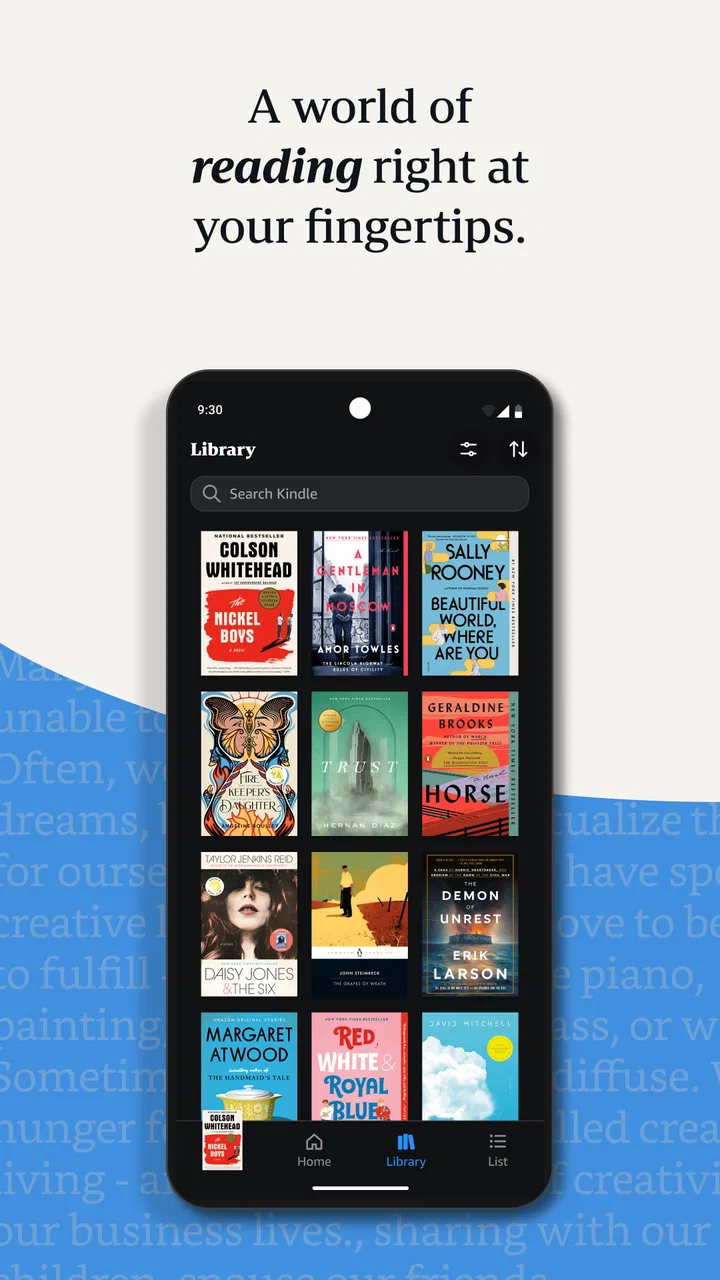
The app is particularly comfortable for people who already buy Kindle books through Amazon. The collection feels organized around a single account, and that makes returning to older purchases less intimidating than searching through folders on a device. I also like having a dedicated place for books instead of mixing them with documents, browser tabs, and assorted downloads.
There is a psychological benefit here: a visible library encourages me to remember what I intended to read. That can be useful for someone who buys books faster than they finish them, although it can also create the opposite problem. A large digital shelf is easy to ignore because it takes no physical space. The app makes access simple, but it cannot supply the discipline to choose one book and stay with it.
The first-week experience is not equally strong for every reader. Someone who wants a beautiful physical-book simulation may find the phone screen less satisfying, especially during long sessions. Someone who reads comics, image-heavy reference books, or highly designed publications should also judge each title individually rather than assuming that every ebook will look equally natural on a small display.
I would also avoid installing it with the expectation that “free” means every book inside is free. The app itself costs nothing, while optional purchases range from $1.99 to $11.99 per item. That distinction is important for families and for anyone trying to control impulse buying. Kindle is a free doorway to a reading library, not an unlimited free catalog.
What makes the second and third weeks more revealing
After the initial excitement fades, the practical strengths become clearer. The app earns its place when I use it repeatedly for different kinds of reading: a novel at night, a reference title during study, or a short session during a break. If I only open it once every few weeks, its main advantage over a browser or another reader becomes much smaller.
I find the most useful workflow is to keep one primary book active and use the library as a queue rather than a warehouse. When I finish a session, I leave the book at a meaningful stopping point instead of opening several titles at once. This sounds like a personal preference, but it prevents a common digital-reading failure: collecting books without building continuity.
For study, I use the app more selectively. I may read a chapter, mark a passage mentally, and return later, but I would not automatically choose Kindle for work that depends on intensive annotation, complex page layouts, or constant comparison between multiple sources. A dedicated note-taking setup or a physical book can be faster when the task is analysis rather than relaxed reading.
The app’s broad adoption suggests that it has become familiar to many readers: it has over 100 million installs, an average rating of 4.8, and around 4.5 million ratings. Those figures do not guarantee that it will suit my reading style, but they do reflect a mature product with a large audience and a well-established place in mobile reading.
What I appreciate month to month is the reduction of friction. I do not need to decide which device is the “real” reading device. I can use the one that is nearby. That matters more than flashy extras because reading habits are often lost through inconvenience: the book is in another room, the dedicated device is uncharged, or the reader does not want to carry another object.
At the same time, the app’s value depends heavily on the books I choose. It cannot improve a title that I do not enjoy, and a crowded library can make reading feel like another form of digital backlog. I recommend reviewing the collection occasionally and separating books I genuinely intend to read from books I bought on impulse. That small bit of housekeeping makes the app feel calmer.
You May Also Like

 AccuWeather: Weather Radar
AccuWeather Review: A Quick, Clear Forecast for Everyday Decisions
For everyday plans, the best forecast is the one you can understand quickly. AccuWeather makes rain timing, radar, and local conditions easy to act on, with a few trade-offs.

 Hill Climb Racing
Why Hill Climb Racing Still Turns Crashes Into One More Run
A tiny car, a bumpy hill and one more upgrade: Hill Climb Racing keeps resurfacing because its simple chaos makes every near-miss feel personal.

 AliExpress - Shopping App
AliExpress Makes Global Shopping Feel Personal, but Shoppers Bear the Risk
AliExpress turns a global marketplace into a pocket-sized discovery engine. Its reach is useful, its shopping loop compelling, and its trade-offs easy to miss.

 Lords Mobile: Kingdom Wars
Lords Mobile Is a Kingdom-Building Routine, Not a Quick Match
A case-by-case verdict on the building, battles, device demands, and social commitments that make Lords Mobile rewarding for some players and exhausting for others.

 PDF Scanner app - TapScanner
TapScanner Makes Paperwork Easier to Capture, Check, and Share
TapScanner makes scanning with a phone feel less like a rescue operation and more like a dependable step in getting work done. Its capture tools are useful, though not flawless.

 Block Blast!
Block Blast! Shows How Much a Puzzle Game Can Leave Out
A quiet grid game shows why puzzle players increasingly value instant clarity, repeatable skill and low-pressure play—and where the genre still needs to catch up.
More From Our News Desk
View All News


The maintenance that keeps the library useful
Kindle does not demand constant attention, but a little maintenance pays off. I periodically remove titles I have finished from the immediate view, keep only current reading projects easy to find, and avoid treating every recommendation as an obligation. The less cluttered the library feels, the more likely I am to open it for a real reading session.
Account organization matters too. Because this is an Amazon-linked reading experience, I would make sure I am using the account that should own the library before building a large collection. That is a simple step, but it prevents the confusion of having books associated with different accounts or expecting a title to appear in the wrong place.
Storage is another practical consideration. A few books are easy to keep available, but a large collection of downloaded titles can become unnecessary on a phone. I prefer downloading what I am actively reading and leaving the rest accessible through the library. This keeps the device less crowded and makes it easier to distinguish available books from current ones.
Reading comfort also deserves occasional adjustment. A setting that feels fine for a short afternoon session may be tiring at night. I check text size, spacing, brightness, and the general page appearance when my eyes begin to feel strained. The best configuration is not universal, and a small change can make the difference between reading for another chapter and abandoning the session.
For parents, the Teen rating is a useful general signal, but it should not replace checking individual titles. A book app can contain material for very different ages and interests. I would choose books together with younger readers and use the library as a curated collection rather than assuming that one age label describes everything a user might encounter.
Purchasing discipline is part of maintenance as well. Since individual in-app purchases can cost between $1.99 and $11.99, I would avoid buying a title merely because it is visible at the moment I feel like reading. A wishlist, a sample-first habit, or a rule to finish the current book can preserve the app’s long-term value better than constantly expanding the collection.
Where reading fatigue begins
The biggest source of fatigue is not necessarily the app itself; it is the screen. Reading on a phone adds notifications, glare, battery concerns, and the temptation to switch tasks. Kindle can create a focused space, but it cannot fully separate reading from the rest of the device. If I am already tired, a physical book or a distraction-free dedicated reader may be more restful.
Another weakness is that digital ownership can feel less tangible than a shelf of printed books. I can see a physical collection and remember where each book sits. A digital library is more convenient but less emotionally visible. Readers who enjoy lending, displaying, or marking physical pages may find that Kindle solves portability while losing part of the pleasure of ownership.
The app is also not the ideal answer for every format. Plain text novels generally suit it well, while books that depend on elaborate design, large illustrations, charts, or a fixed page arrangement may feel less natural. Before buying an expensive specialized title, I would check a sample or preview when available and consider whether the intended reading experience depends on seeing the original layout.
There is a trade-off between convenience and ecosystem commitment. Kindle is attractive when my reading purchases already fit Amazon’s catalog and account system. If I regularly obtain books from several unrelated stores, borrow through a library service, or manage my own collection of files, another reading app may offer a more unified solution. I would not choose Kindle solely because it is popular; I would choose it because its library model matches how I acquire books.
Recommendations can also become tiring. A large commercial catalog makes it easy to discover something new, but it can turn reading into browsing. I have found that the app is more satisfying when I decide what I want before opening it. Searching for a specific book or returning to a current title supports a habit; endlessly scanning possible purchases can replace reading with shopping.
For serious students, researchers, or professionals, the limitations become more noticeable. Kindle is comfortable for linear reading, but intensive work may require better cross-referencing, annotation, citation handling, or export options than a general mobile reading app provides. In those cases, I would use it for the first pass through a book and another tool for extracting and organizing detailed notes.
Who will keep using it after the novelty fades?
I think Kindle is a strong fit for regular fiction readers, commuters, travelers, and people who want their purchased ebooks close at hand. It also suits readers who move between a phone and a larger device and do not want their progress tied to one screen. The free entry point makes it easy to test the routine without buying dedicated hardware first.
It is less suitable for someone whose reading is mostly library borrowing, scanned documents, academic PDFs, or image-led books. It may also disappoint readers who want a completely neutral app for books from every source. In those situations, a library-focused service, a specialized document reader, or a general ebook manager could be a better match.
One of the less obvious decisions is whether I want convenience or intentional limitation. Kindle makes a large collection available, which is excellent when I know what I want. But if I am trying to reduce purchases or screen time, the same convenience can work against me. I would recommend setting a personal rule before using it: for example, keep one current book, sample before buying, and review the library once a month.
Another useful approach is to separate reading locations by purpose. I might use the phone for short sessions and a larger screen for longer ones, while keeping the same book as the anchor. This prevents the phone from becoming the only place I read and makes the app a flexible part of the routine rather than another reason to stare at a small screen.
The app’s long-term value also depends on whether I return to older purchases. If I use the library only as a place to store books I never reopen, the free installation does not create much value. If I revisit novels, reference material, or unfinished books, the collection becomes a practical personal archive. That is where the product earns lasting space: not through its first impression, but through repeated access to books I actually care about.
My long-term verdict
After the novelty fades, I still see Amazon Kindle as one of the more dependable choices for readers who want a portable Amazon-based library. Its strongest quality is not that it turns a phone into a magical bookstore. It is that it makes returning to a book uncomplicated, and uncomplicated access is exactly what many reading habits need.
I would recommend it to a friend who buys ebooks through Amazon, reads regularly, and values the ability to continue on whichever device is available. I would also suggest keeping the collection deliberately small enough to remain inviting, checking a book’s format before purchasing, and treating in-app spending as a choice rather than an automatic part of browsing.
I would steer a friend elsewhere if their priority is library borrowing, advanced study tools, highly visual books, or freedom from one commercial ecosystem. Kindle is not a universal replacement for print, dedicated readers, or specialized document apps. Its strengths are narrower and more practical: access, portability, continuity, and a familiar home for ebooks.
For me, that is enough to justify keeping it installed. The app becomes worthwhile when it supports a repeatable habit—read a few pages while waiting, continue later at home, and return to the same library next week. It does not remove every source of reading fatigue, and it cannot decide which books deserve my time. But when I use it with a little discipline, it turns spare moments into consistent reading, which is a more durable benefit than the first-week convenience alone.
FAQs for Amazon Kindle: Reading App
01What devices are compatible with the Amazon Kindle app?
The Amazon Kindle app is compatible with a wide range of devices, including iOS, Android, and Amazon Fire. It can also be accessed on Windows and Mac computers. This flexibility allows users to read their Kindle books on virtually any device they own, making it convenient to switch between devices without losing their place.
02Do I need an Amazon account to use the Kindle app?
Yes, you need an Amazon account to use the Kindle app. An account allows you to purchase and download books from the Kindle Store, sync your reading progress across devices, and access features like Kindle Unlimited and Prime Reading if you subscribe to them. Creating an account is simple and free.
03Can I read books offline with the Kindle app?
Yes, the Kindle app allows you to download books for offline reading. This feature is particularly useful for users who travel or do not always have internet access. Simply download the books you want to read while connected to Wi-Fi or data, and they will be available offline for uninterrupted reading.
04Are there any subscription services available with the Kindle app?
The Kindle app supports subscription services like Kindle Unlimited and Audible. Kindle Unlimited offers access to a vast library of books for a monthly fee, while Audible provides audiobooks. Both services can be integrated into the Kindle app, allowing for seamless reading and listening experiences.
05How does the Kindle app handle note-taking and highlighting?
The Kindle app offers robust note-taking and highlighting features. Users can easily highlight text and add notes directly within the app. These annotations are saved and can be accessed across devices. Additionally, users can export their notes and highlights, making it a valuable tool for students and avid readers.
Pros
- Wide selection of eBooks available.
- User-friendly interface and design.
- Syncs across multiple devices seamlessly.
- Customizable reading experience options.
- Supports offline reading mode.
Cons
- Requires an Amazon account to access.
- Limited format support for non-Kindle books.
- Some eBooks can be pricey.
- Ads in the free version can be intrusive.
- No built-in book sharing feature.

Amazon Kindle: Reading App
Gallery